
Skills
Build reusable skills that give agents specialized capabilities.
What Are Skills?
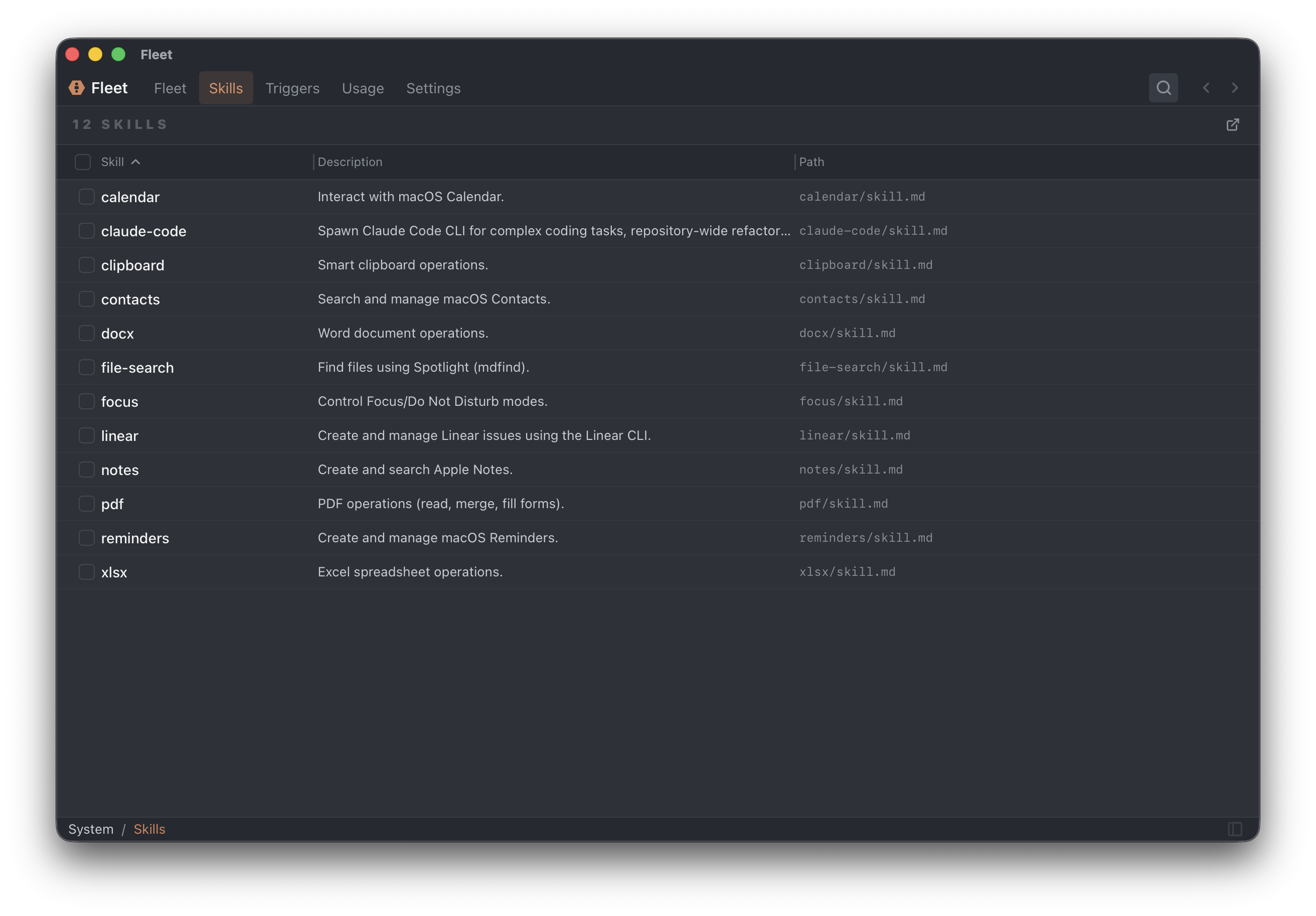
Skills are portable packages of instructions, scripts, and resources that agents can use to accomplish tasks. They follow the open Agent Skills specification.
A skill can contain:
- Instructions — Step-by-step procedures in markdown
- Scripts — Executable code the agent can run
- Assets — Templates, reference files, and resources
Skill Structure
Each skill is a folder containing a skill.md file and supporting assets:
my-skill/
├── skill.md          # Instructions and metadata (required)
├── template.html     # Template file (optional)
├── process.sh        # Script (optional)
└── examples/         # Reference materials (optional)
skill.md Format
Skills use YAML frontmatter for metadata, followed by markdown instructions:
---
name: code-review
description: Reviews code for quality, security, and maintainability
version: 1
compatibility: all
is_command: true
provider: anthropic
model: claude-sonnet-4-20250514
tier: read_only
allowed_tools:
  - Read
  - Glob
  - Grep
---

# Code Review

Review code for quality, security, and maintainability.

## Steps

1. Read the code completely before commenting
2. Check for logical errors and bugs
3. Look for security vulnerabilities
...
Frontmatter Fields
| Field | Type | Required | Description |
|---|---|---|---|
name |
string | Yes | Unique skill identifier |
description |
string | Yes | Brief description for the skills browser |
version |
integer | No | Skill version number |
compatibility |
string | No | Agent compatibility: all, cli, standard |
is_command |
boolean | No | If true, invokable with /skill-name |
provider |
string | No | Preferred AI provider |
model |
string | No | Preferred model |
tier |
string | No | Suggested execution tier |
allowed_tools |
string[] | No | Tools the skill expects to use (guidance only) |
is_core |
boolean | No | True for built-in core skills |
Tool Guidance
The allowed_tools field is guidance for the model—it's not enforced. Actual tool access is controlled by the agent's execution tier and permission rules.
Skill Discovery
Fleet automatically discovers skills from:
Default location:
- macOS:
~/Library/Application Support/familiar/skills/ - Linux/Windows:
~/.familiar/skills/
Fleet scans recursively for skill.md files:
skills/
├── development/
│   ├── code-review/
│   │   └── skill.md
│   └── pr-summary/
│       └── skill.md
├── writing/
│   ├── blog-post/
│   │   └── skill.md
│   └── email-draft/
│       └── skill.md
└── data/
    └── csv-analysis/
        └── skill.md
Skills are deduplicated by name—if two skills have the same name, only one loads.
Creating Skills
Option 1: Ask an Agent (Recommended)
Ask any agent to create a skill:
Create a skill called "Code Review" that reviews code for bugs,
security issues, and performance problems.
The agent creates the skill folder and writes the skill.md file.
Option 2: Create Manually
- Open the skills folder: Settings → Skills → Open Folder
- Create a new folder (e.g.,
my-skill/) - Create
skill.mdwith frontmatter and instructions - Add supporting scripts or templates
Option 3: Skills Browser
- Open Settings → Skills or the Skills panel
- Click New Skill
- Fill in name and description
- Edit content in the editor
- Save
Using Skills
Agents automatically discover and use relevant skills. To explicitly request a skill:
Use the Code Review skill on src/api/auth.ts
Enable/Disable Skills Per Agent
Control which skills an agent can access in AGENT.md:
enabled_skills:
  - code-review
  - documentation
  # Empty array means all skills enabled
Command Skills
Skills with is_command: true can be invoked directly:
/code-review src/api/
Fleet translates this into a skill invocation with the argument.
Importing Skills
From GitHub
Ask an agent to import from a skill repository:
Import the code-review skill from github.com/example/skills
Manual Import
- Clone or download the skill repository
- Copy the skill folder to your skills directory
- Fleet discovers it automatically
Example: Code Review Skill
---
name: code-review
description: Reviews code for quality, security, and maintainability
version: 1
compatibility: all
is_command: true
tier: read_only
allowed_tools:
  - Read
  - Glob
  - Grep
---

# Code Review

Review code systematically for issues.

## Review Checklist

### 1. Security (Critical)
- [ ] No hardcoded secrets or credentials
- [ ] Input validation on external data
- [ ] No injection vulnerabilities
- [ ] Proper authentication/authorization

### 2. Bugs
- [ ] Null/undefined properly handled
- [ ] Edge cases covered
- [ ] Error handling complete

### 3. Performance
- [ ] No unnecessary loops
- [ ] Database queries optimized
- [ ] Appropriate caching

### 4. Maintainability
- [ ] Clear naming
- [ ] Reasonable function sizes
- [ ] Minimal duplication

## Output Format

For each issue:
1. **Location:** File path and line number
2. **Severity:** Critical / High / Medium / Low
3. **Issue:** What's wrong
4. **Fix:** How to correct it
Managing Skills
Skills Browser
Access via Settings → Skills or the sidebar.
Features:
- View all installed skills
- Search by name or description
- Edit skill content
- Delete skills
- Open skills directory
Columns
| Column | Description |
|---|---|
| Name | Skill identifier |
| Description | What the skill does |
| Version | Skill version number |
| Path | Location on disk |
Click headers to sort. Resize by dragging.
Skill Fields Reference
Complete list of skill.md frontmatter fields:
| Field | Type | Description |
|---|---|---|
name |
string | Unique identifier |
description |
string | Brief description |
version |
integer | Version number |
is_command |
boolean | Invokable with /name |
provider |
string | Preferred provider |
model |
string | Preferred model |
tier |
string | Suggested execution tier |
compatibility |
string | Agent type compatibility |
allowed_tools |
string[] | Expected tools (guidance) |
is_core |
boolean | Built-in core skill |